
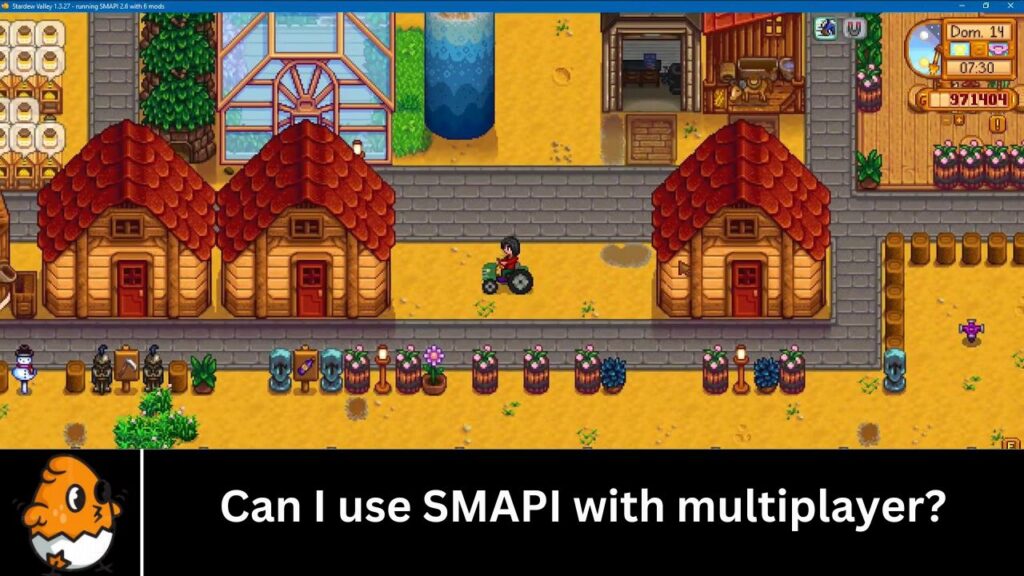
In Stardew Valley, SMAPI stands for “Stardew Modding API,” a tool that allows players to enhance and customize their gaming experience. SMAPI bridges the game and player-created mods, enabling a wide range of modifications to be integrated seamlessly into the game. These mods can range from simple tweaks and adjustments to complex additions introducing new gameplay mechanics, characters, and storylines.
At its core, SMAPI is designed to expand the possibilities within Stardew Valley, allowing players to tailor the game to their preferences. Whether it’s adding new crops and animals, changing the appearance of the game world, or introducing entirely new features, SMAPI opens up a world of creative possibilities for players to explore.
One of the key aspects of SMAPI is its ease of use. The API is designed to be accessible to players of all skill levels, with a straightforward installation process and a user-friendly interface. This accessibility has helped fuel the growth of the Stardew Valley modding community, with thousands of mods being created and shared by players worldwide.
Beyond enabling mods, SMAPI also crucially ensures their stability and compatibility with the game. By providing a standardized framework for mod development, SMAPI helps minimize conflicts between different mods and ensures that they can coexist harmoniously within the game environment.
Understanding Stardew Valley Multiplayer
Understanding Multiplayer in Stardew Valley is essential for players looking to enjoy the game with friends or family. Originally designed as a single-player farming simulation game, Stardew Valley introduced multiplayer functionality later, allowing players to collaborate and share their farming adventures with others.
Multiplayer mode in Stardew Valley enables up to four players to join the same farm online (or through LAN) to work together towards a common goal of building a successful farm. Each player has their own cabin on the farm, which serves as their home base, and they can interact with the game world independently. Players can communicate through chat and even marry each other’s characters, adding a social element to the game.
The introduction of multiplayer fundamentally changes the game experience in Stardew Valley. Previously, players would work alone to manage their farms, tend to crops and animals, mine for resources, and explore the surrounding areas. With multiplayer, these tasks can be divided among the players, allowing for more efficient farm management and faster progression.
Additionally, multiplayer introduces new dynamics and strategies as players can collaborate on projects, share resources, and tackle challenges together. Multiplayer also adds a competitive element to Stardew Valley, as players can compare their progress and achievements.
This can lead to friendly competition and a sense of camaraderie as players work towards common goals. The social aspect of multiplayer enhances the game’s replay value, as players can experience different interactions and dynamics depending on who they play with.
Setting Up SMAPI for Multiplayer
Prerequisites
Before setting up SMAPI for multiplayer, ensure that you have the following:
- A legitimate copy of Stardew Valley.
- The latest version of SMAPI.
- Internet connection for online multiplayer.
- A Steam or GOG account (for online play).
Installation Steps for SMAPI
- Download SMAPI: Visit the official SMAPI website and download the latest version of SMAPI.
- Extract Files: Extract the downloaded files to a location of your choice.
- Install SMAPI: Run the SMAPI installer and follow the on-screen instructions. The installer will automatically detect your Stardew Valley installation directory.
- Configure SMAPI: After installation, launch Stardew Valley through the SMAPI launcher. This ensures that SMAPI is correctly integrated with the game.
Configuring SMAPI for Multiplayer
To use SMAPI with multiplayer, follow these steps:
- Update Mods: Ensure all mods are updated to their latest versions and compatible with multiplayer.
- Shared Mod Folder: All players must install the same mods in their SMAPI mod folder to avoid compatibility issues.
- Host Configuration: The multiplayer game host should launch Stardew Valley through the SMAPI launcher.
Compatible Mods for Multiplayer
Finding Multiplayer-Compatible Mods
Not all mods are designed to work in multiplayer mode. To find compatible mods:
- Check the Mod Description: Mod authors typically mention if their mod supports multiplayer.
- SMAPI Compatibility List: Refer to the SMAPI compatibility list available on the SMAPI website or forums.
Popular Mods for Multiplayer
Some popular mods that work well in multiplayer include:
- Automate: Automatically processes items in connected machines.
- UI Info Suite: Provides additional information on the game’s UI.
- Chests Anywhere: Allows access to all chests from anywhere on the farm.
Joining or Hosting a Multiplayer Game with SMAPI
Hosting a Multiplayer Game
To host a multiplayer game with SMAPI:
- Launch SMAPI: Open Stardew Valley using the SMAPI launcher.
- Start a New Farm or Load Existing: Start a new multiplayer farm or load an existing one.
- Invite Friends: Use the invite code or the Steam friends list to invite other players.
Joining a Multiplayer Game
To join a multiplayer game with SMAPI:
- Launch SMAPI: Open Stardew Valley using the SMAPI launcher.
- Join via Invite Code: Enter the invite code provided by the host.
- Synchronize Mods: Ensure you have the same mods installed as the host.
Troubleshooting Common Issues
Connection Problems
If you encounter connection problems:
- Check Firewall Settings: Ensure your firewall is not blocking Stardew Valley or SMAPI.
- Stable Internet Connection: Verify that your internet connection is stable.
Mod Compatibility Issues
To resolve mod compatibility issues:
- Match Mod Versions: Ensure that all players have the same version of each mod.
- Check for Updates: Regularly update mods to the latest versions.
Performance Issues
If you experience performance issues:
- Reduce Mod Load: Limit the number of mods used simultaneously.
- Optimize Settings: Lower in-game graphics settings to improve performance.
Best Practices for Using SMAPI in Multiplayer
Keeping Mods Updated
Regularly check for and install updates for all your mods to ensure compatibility and performance.
Communication with Other Players
Maintain open communication with other players regarding mod updates, issues, and changes.
Regular Backups
Frequently back up your game saves to prevent data loss due to mod conflicts or other issues.
Frequently Asked Questions (FAQ’s)
Can I use SMAPI with multiplayer in Stardew Valley?
Yes, SMAPI is compatible with multiplayer in Stardew Valley. You can use SMAPI to install mods that enhance your multiplayer experience.
How do I install SMAPI for multiplayer?
To install SMAPI for multiplayer, download the latest version of SMAPI from the official website and follow the installation instructions. Make sure to select the multiplayer option during installation.
Are all mods compatible with multiplayer when using SMAPI?
Not all mods are compatible with multiplayer. Mods that only affect the player using them are generally safe to use, but mods that affect the game world or other players may cause issues in multiplayer.
Can I use SMAPI with Steam multiplayer or only with LAN?
SMAPI works with Steam multiplayer and LAN and with any multiplayer setup in Stardew Valley.
Do all players in a multiplayer game need to have SMAPI installed?
Yes, all players in a multiplayer game must install SMAPI if they plan to use mods. SMAPI mods only work if all players have the same mods installed.
Can I use SMAPI with multiplayer on consoles?
No, SMAPI is currently only available for the PC version of Stardew Valley. Console versions do not support SMAPI or mods.
Are there any limitations to using SMAPI with multiplayer?
While SMAPI is compatible with multiplayer, some mods may not work correctly or may conflict with other players’ mods. To avoid issues, it’s essential to use mods cautiously and communicate with other players.
Can I revert changes made by SMAPI if I encounter issues in multiplayer?
Yes, you can reverse changes made by SMAPI by uninstalling the mods causing the issue. To avoid conflicts, ensure all multiplayer game players do the same.
Is there a risk of getting banned from multiplayer for using SMAPI?
Using SMAPI and mods in multiplayer is generally safe and won’t result in a ban. However, using mods online can sometimes lead to unexpected behavior or issues, so using them responsibly is essential.
Where can I find mods compatible with SMAPI for multiplayer?
You can find mods compatible with SMAPI for multiplayer on websites like Nexus Mods or the official Stardew Valley Modding Forum. Make sure to download mods that are specifically labeled as multiplayer-compatible.
Conclusion
Using SMAPI with Stardew Valley’s multiplayer mode opens up a world of possibilities, enhancing gameplay and allowing for a more personalized farming experience. Following the steps outlined in this guide, you can successfully set up and enjoy SMAPI in multiplayer, troubleshoot common issues, and ensure a smooth and enjoyable experience for all players involved. Happy farming!